Offering recurring memberships
In this article
Note: Recurring memberships are available on selected Momoyoga pricing plans.
What is a recurring membership
A recurring membership is always a monthly membership which resets on the same day each month. As an example, if the start date is on the 10th, the recurring membership will renew on the 10th of each month, regardless of the number of days within the current specific month. Each repetition is one iteration.
Tip: When viewing the active recurring membership in a yogi profile, it is possible to see which iteration of the membership they are currently on. Here you can also see when the current iteration expires and the following one begins.
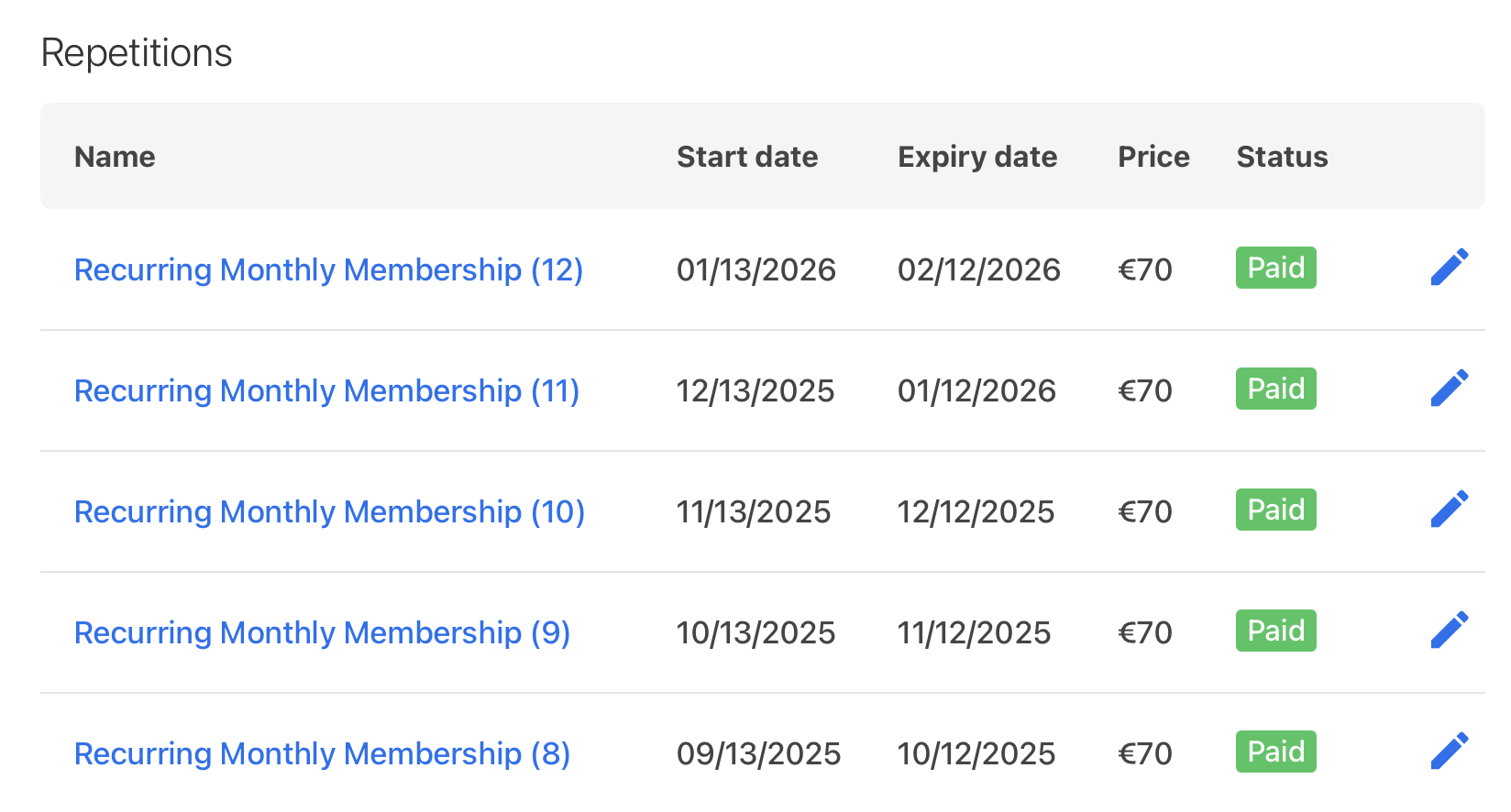
The validity period of a recurring membership is always one month. During this month, the yogi can use the number of credits applied to the recurring membership. Once these credits have been used up, the yogi cannot book another class until a new iteration begins. It is currently not possible to edit the validity period of a recurring membership to any length other than one month. It is however possible to adjust the iterations of a recurring membership by changing the start and end dates.
Note: When adjusting the start and end dates of an iteration, please ensure that the validity period remains one month and that there are no gaps between the end date of one iteration and the start date of the next. More information on editing a recurring membership can be found here.
Note: Only a teacher or studio admin can cancel or pause a recurring membership. More information on this can be found here.
Monthly payments
As a new iteration of a recurring membership starts each month, payments also happen on a monthly basis. This can be configured through online payments, PayPal, or bank transfer/pay later payments. Which payment method applies to a specific recurring membership depends on what the studio offers as well as the payment method chosen by the yogi.
Note: Only online payments can automatically charge your yogi. If a yogi decides to use a different payment method, some manual work will be required from both you and your yogi.
Online payments
If the yogi chooses to pay for a recurring membership through online payments, the price of the recurring membership will automatically be deducted from the yogi through a direct debit each month.
Upon the initial purchase, the yogi will be asked to enter their payment details during checkout and they will pay the price of the first month. This process is exactly the same as the purchase of a regular membership or class pass.
Once the second iteration starts, the payment will be deducted automatically from the same credit card that was used for the first payment. This will then repeat each month. Consequently, no further action or tracking is required from the yogi or the studio to ensure a successful payment in the following iterations.
Note: To ensure that the purchase of a recurring membership creates a direct debit, select collect automatically when adding the membership.
Tip: If the payment fails one month, you can send a payment reminder email containing a payment link to the yogi. The direct debit will continue as normal for the following months. You can find out more about payment reminder emails here.
If the yogi wishes to change the card from which the monthly payment is taken, they can edit their payment details in their profile by following these steps:
- Select their profile in the top right corner of the screen
- Select edit payment details
- Click on change your payment details
- Overwrite the current credit card details entered
- Click save
PayPal, pay later payments or bank transfers
Yogis can also pay for their recurring membership through PayPal, bank transfer, or through payments in cash or by card at the studio. They can do so by selecting the preferred option at checkout when purchasing the monthly recurring membership. Because PayPal does not allow for direct debits, recurring memberships paid for through this option work in the same way as bank transfers or payments at the studio.
When a new iteration is created, the yogi does not automatically receive a payment request. Instead, it is the responsibility of the yogi to ensure that the payment is made each month. For this reason, we recommend that you select send a notification to yogi and to studio when creating the recurring membership. This ensures that you and your yogis will receive an automatic email with each new iteration as a reminder that a new payment is required for that month.
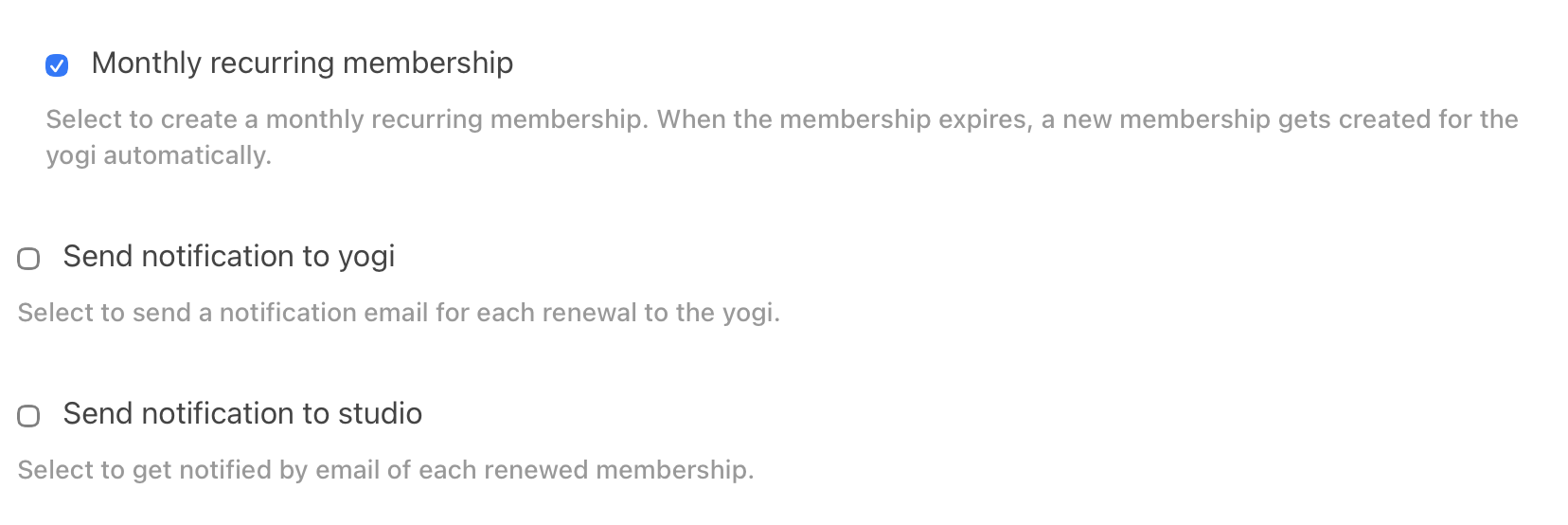
Note: Because our system cannot verify whether an external payment such as a bank transfer or cash payment was successful, the payment status will always be set to 'not paid'. It is the responsibility of the studio to verify whether they received the payment and adjust the payment status accordingly.
How to add a recurring membership
You can add a recurring membership to your offered pricing options by following these steps:
- Go to Pricing in the left-hand menu bar
- Click on Add membership
- Fill out the boxes with the correct information
- Select the option Monthly recurring membership
- Select the option send notification to yogi/studio
- Select the option collect automatically if you offer online payments
- Click on save
You and your yogis will be able to see that a specific membership is recurring because the price will be shown per month.

Tip: If you would like to know more about adding yogis to a class series using a recurring membership, please see our Help Center article on this topic.
Was this article helpful?
That’s Great!
Thank you for your feedback
Sorry! We couldn't be helpful
Thank you for your feedback
Feedback sent
We appreciate your effort and will try to fix the article