Adding a yogi to a class series
Booking classes ahead for several weeks increases the stability and transparency of future classes for both the studio and the yogis. Therefore, as a studio, you can add yogis into weekly repeating class series either through their bought pricing option or even without!
Note: Click here to learn more about how to create a class series.
In this article
- Applying different pricing options
- How to add a yogi into a class series
- Adding a yogi without a pricing option
Applying different pricing options
The pricing option used to add a yogi into a class series can have a big impact! The reason for this is the validity period and repeating nature of different pricing options, as well as the available credits.
Class passes and memberships
When adding a yogi to a class series through a class pass or membership, the yogi can only be added into the class series until the end date of the pricing option. Once the pricing option expires, a new one must be purchased and the yogi can again be added to the class series until the next expiration date.
Furthermore, class passes confer a certain number of credits to the yogi. Consequently, even if the entire class series is within the validity period of the class pass, the number of classes to which the yogi can be added are limited by the number of available credits. The same is true if the maximum number of classes which can be booked through a membership is limited.
Recurring memberships
As recurring memberships repeat each month, there is no set end date to this pricing option. Consequently, a yogi will be booked into all many future classes of a class series with a recurring membership. However, similarly to regular memberships, if the maximum number of classes is limited, this may impact the number of classes which a yogi can be booked into using the recurring membership.
Note: If the recurring membership is cancelled or paused, all future bookings will be shown as unpaid.
Note: If one of the classes in the series is already fully booked, if the booking window prevents the booking of a class or if there is a gap in the class series (for example due to holidays), no future classes following this will be booked. This also applies for situations where a recurring membership allows for four classes to be booked per month, but the month has five weeks
How to add a yogi into a class series
Tip: Make sure you activate the settings to allow yogis to book ahead weekly before adding them to the class series. You can read more about this here.
To add a yogi into a class series as a studio, you can follow these steps:
- Go to Classes in your left-hand menu bar
- Select the first class of the series to which you wish to add the yogi
- Click Add yogi
- Select the yogi in question
- Select Book class series
- Click Book
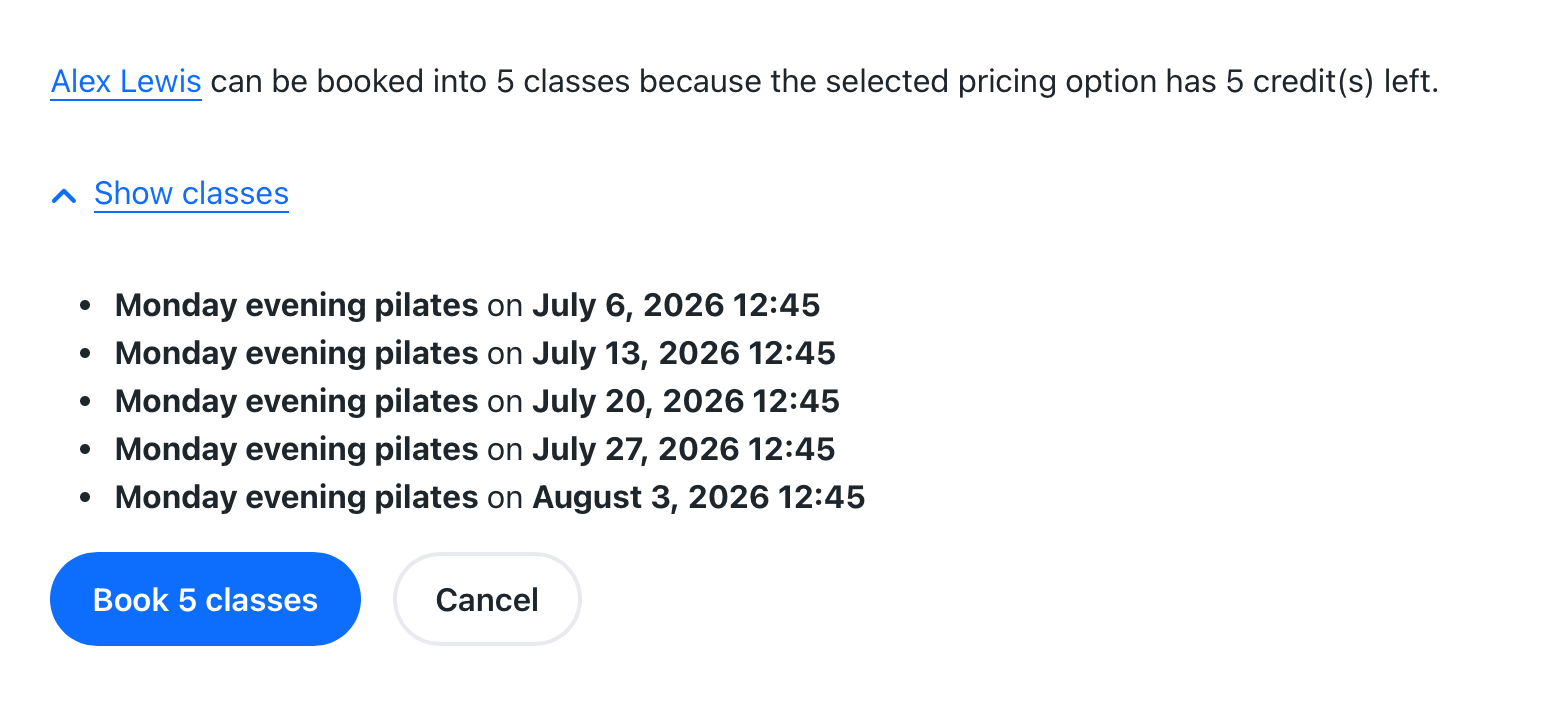
Tip: If you are using a class pass or membership to book the class series for the yogi, you will see until which class the yogi can be added as a participant. If using a recurring membership, this list may not appear to prevent an endless class list from showing.
Adding a yogi without a pricing option
As a studio, you are also able to book a yogi into a class series without a pricing option. This is possible even if they have a valid membership or class pass.
Note: As there is no limit to validity period or credits in this case, the yogi will be added to all future classes of the series.
Note: The yogi will not have paid for the class series if they are added without a pricing option. A tag near their name will display “unpaid”.
If you wish to add a yogi to a class series without a pricing option, you can do so with the following steps:
- Go to Classes in your left-hand menu bar
- Select the first class in the series to which you wish to add the yogi
- Click Add yogi
- Select the yogi you wish to add into the class serie
- Select Book class series
- Click on book without pricing option
- Click book class
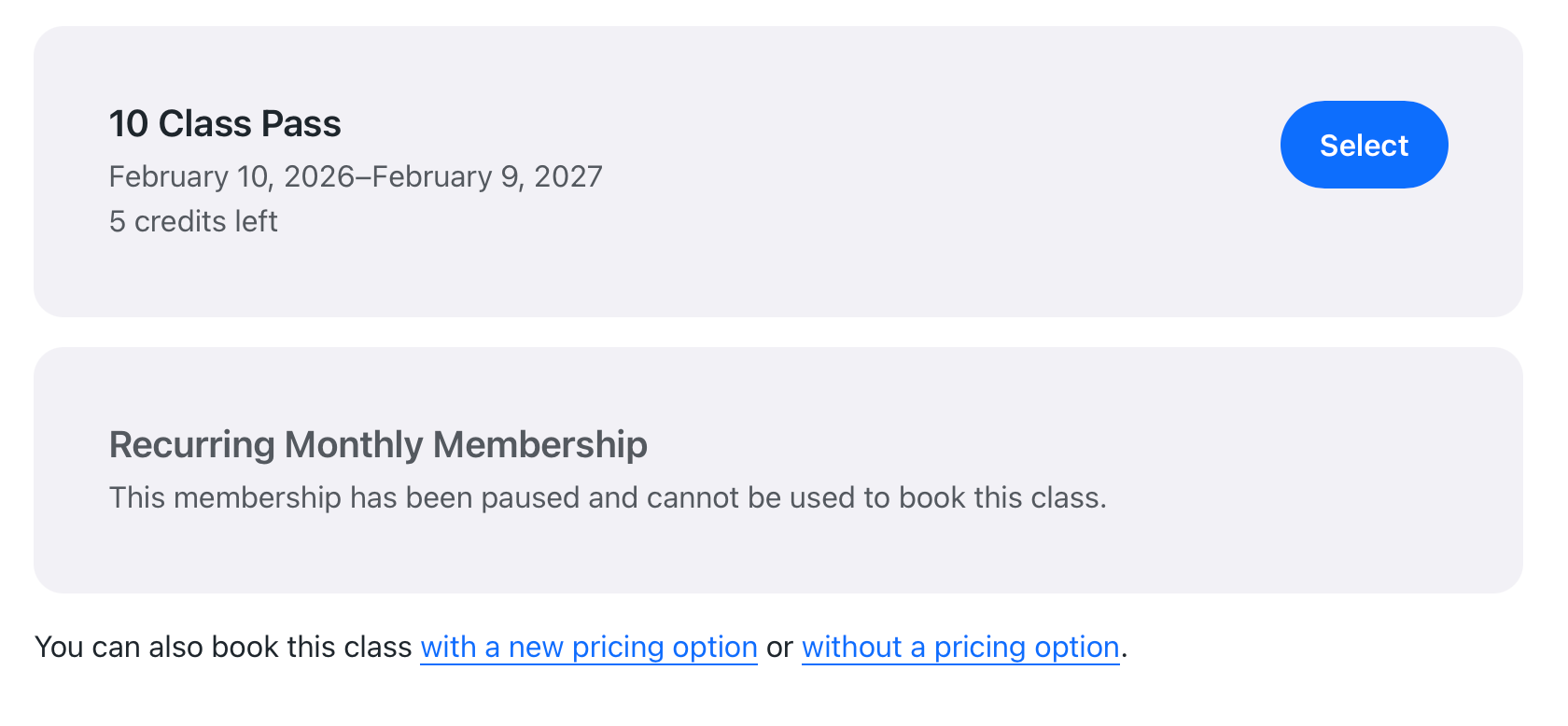
Note: If a yogi has a valid membership or class pass, the option to add them without a pricing option can be found beneath it.
Was this article helpful?
That’s Great!
Thank you for your feedback
Sorry! We couldn't be helpful
Thank you for your feedback
Feedback sent
We appreciate your effort and will try to fix the article