Stopping a recurrent membership
A recurring membership can only be cancelled by the studio. Yogis do not have the option to cancel the membership from their side, but they can let the studio know that they wish to stop their recurring membership by following these steps:
- Select their profile in the top right corner of the screen
- Click on My bookings and orders
- Click on Memberships and class passes
- Select cancel membership next to the recurring membership in question
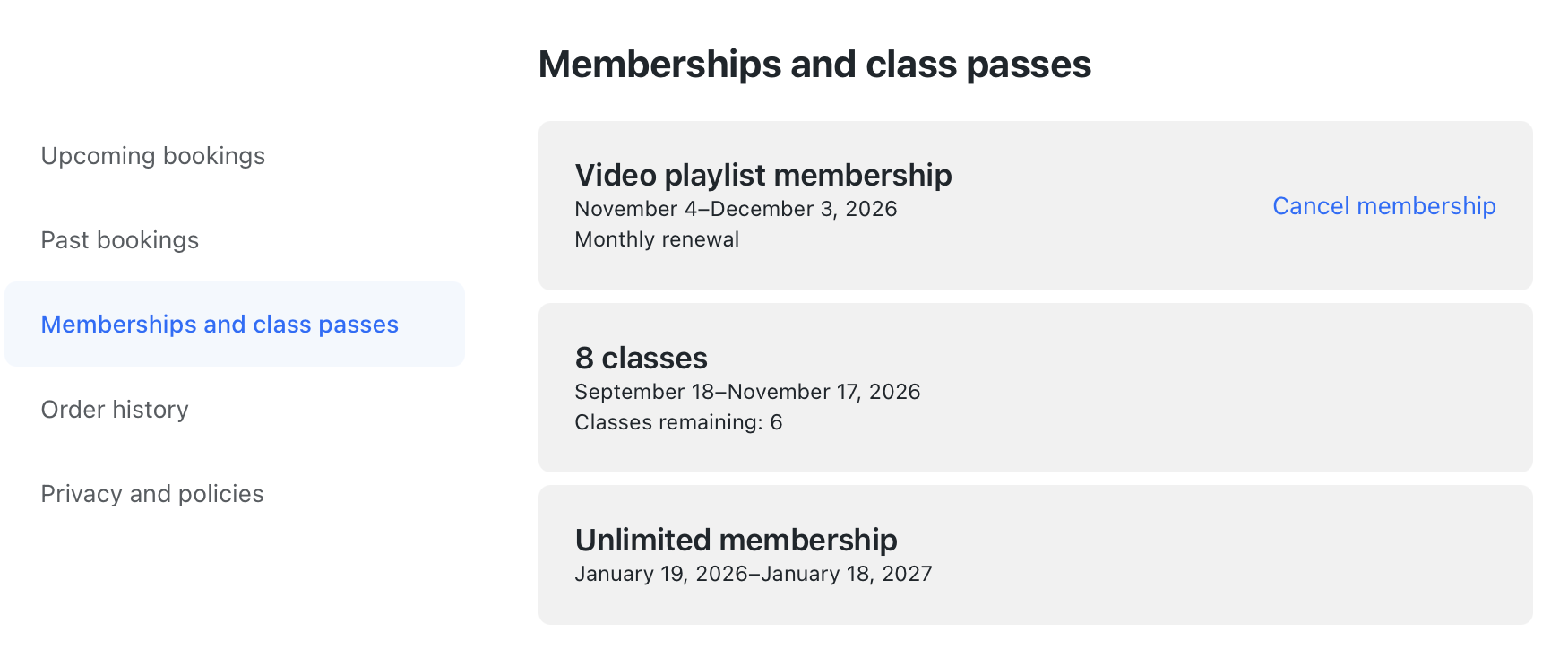
The email platform of the yogi will automatically be opened with the email address of the studio already filled in, to allow the yogi to contact the studio with their request.
Steps for the studio to cancel the recurring membership
Once the studio has been notified by the yogi, or if you wish to cancel the student membership for a different reason, you can follow these steps to initiate the cancellation:
- Search up the yogi in question in the Yogis page and go to their profile
- Select the membership in question under Active recurring memberships
- Click on Cancel membership
- Select the date when the cancellation shall enter into effect
- Click confirm
With these steps, the cancellation has been scheduled!
Note: To ensure that yogis are not charged further, make sure you stop the membership before the next iteration. The yogi can use the recurring membership to book classes until the cancellation enters into effect.
Consequences of stopping a recurring membership
Cancelling a recurring membership does not automatically cancel all future bookings which lay outside of the membership’s end date. Instead, those bookings will be shown as “unpaid” to notify the studio that no valid pricing option is linked to that booking. The spot in the class is consequently still reserved for the yogi, despite them no longer having a valid membership to cover it.
If the studio wishes to remove the yogi from all unpaid classes, they can do so following these steps:
- Go to the Classes
- Select the first class of the class series after the membership expires
- Click on Cancel next to the yogis name to remove them from the class
- Select This class and following to remove the yogi from the entire class series
By following these steps, the studio can prevent any unpaid bookings of classes!
Was this article helpful?
That’s Great!
Thank you for your feedback
Sorry! We couldn't be helpful
Thank you for your feedback
Feedback sent
We appreciate your effort and will try to fix the article