Integrate Urban Sports Club with Momoyoga
This feature is available with Momoyoga's paid plans.
We are delighted to offer a direct integration between Momoyoga and Urban Sports Club (USC). This integration helps studios manage USC bookings more smoothly by syncing classes, attendance, and availability - so you spend less time on admin and more time teaching.
By connecting USC with Momoyoga, you can keep all your bookings and yogi data in one place, and provide a seamless experience for yogis who book through USC.
In this article
- What is Urban Sports Club (USC)?
- How the Momoyoga-USC integration works
- How to link your Momoyoga account to Urban Sports Club
- How USC bookings appear in Momoyoga
- How to invite yogis to Momoyoga from an existing USC account
- Need help?
What is Urban Sports Club (USC)?
Urban Sports Club is a fitness membership platform that gives members access to a wide variety of sports and wellness activities - including yoga - at many different studios. Yogis can book classes through USC, while studios receive these bookings in their USC account.
With the Momoyoga integration, USC bookings are automatically synced to your Momoyoga schedule, allowing you to manage all your classes in one place.
How the Momoyoga-USC integration works
When your studio is connected to USC, Momoyoga and USC communicate to keep your schedule and bookings consistent:
- USC bookings are synced automatically to Momoyoga
- Cancellations and attendance from USC are reflected in Momoyoga
- Available spots are updated in both systems
- Class information, including teachers and times, stays aligned
This means you can continue to manage classes in Momoyoga as your central studio management tool, even for USC bookings.
Tip: Yogis who have booked through Urban Sports Club will have a USC label displayed next to their name.
How to link your Momoyoga account to Urban Sports Club
To get started with the USC integration for your studio, simply follow these steps:
- Request the integration via USC Partner Support
Contact Urban Sports Club Partner Support through this form to request activation of the Momoyoga integration - Send the Integration IDs to Momoyoga
Forward the information received from USC to integration@momoyoga.com asking to activate the integration. Add your studio name and e-mail linked to your Momoyoga account in your message. - Your Momoyoga and Urban Sports Club accounts will begin synchronising
Once we have received your IDs, your Momoyoga account will be connected to Urban Sports Club and ready to use within 3 to 5 working days. - Choose the class settings for USC
In your Momoyoga account, open the class you’d like to display on USC and select how many spots should be available there. - Apply these USC settings either to this class only or to the entire class series. When choosing the entire class series, please note that classes become visible in Urban Sports Club 14 days before they take place.
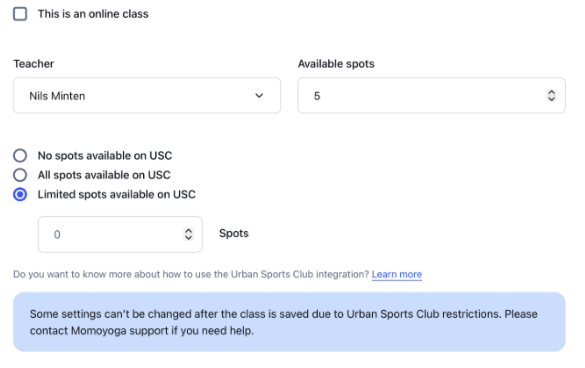
Note: Studios with an existing USC integration must wait 14 days before they can activate the Momoyoga integration.
Important: Currently, only one USC location per studio is supported. Please kindly underline which location you would like to integrate in your email.
How USC bookings appear in Momoyoga
- USC bookings are shown directly in your Momoyoga schedule with a USC label
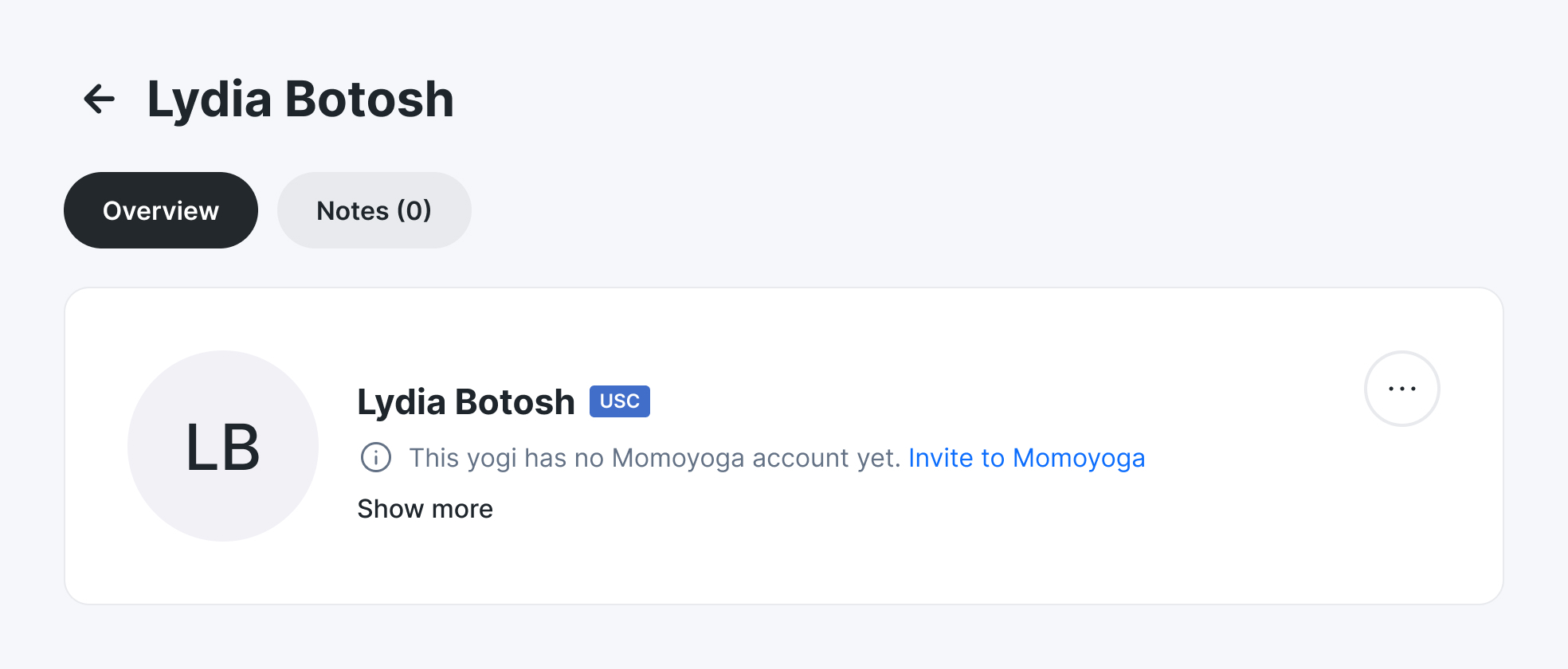
- USC cancellations will show in Momoyoga too
- USC no-shows are reflected in Momoyoga as not attended
- Attendance from USC is synced to Momoyoga, keeping your class records up to date
- Teachers removed in USC are automatically re-added when updating or creating a class in Momoyoga
This ensures your class lists and attendance records remain accurate.
How to invite yogis to Momoyoga from an existing USC account
You can now invite yogis who have booked through USC to join your Momoyoga account. This allows you to create a more connected studio experience and streamline your admin processes, all from one place.
Steps to invite USC yogis to Momoyoga:
- Log in to your Momoyoga account
- Navigate to the profile of the yogi who has booked a class with Urban Sports Club (with a USC label next to their name)
- Click on Invite to Momoyoga
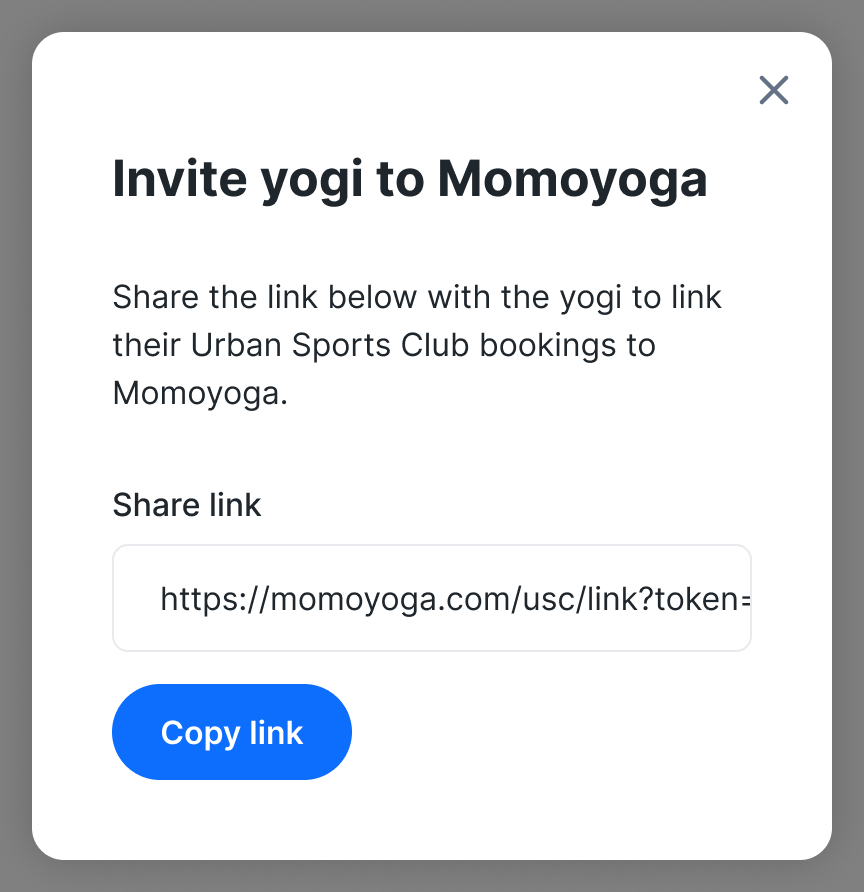
- Copy the link and share it with your yogi
- When clicking on this link, your yogi will be invited to create an account on Momoyoga which will automatically sync with their USC account
- Their USC classes will now show in Momoyoga
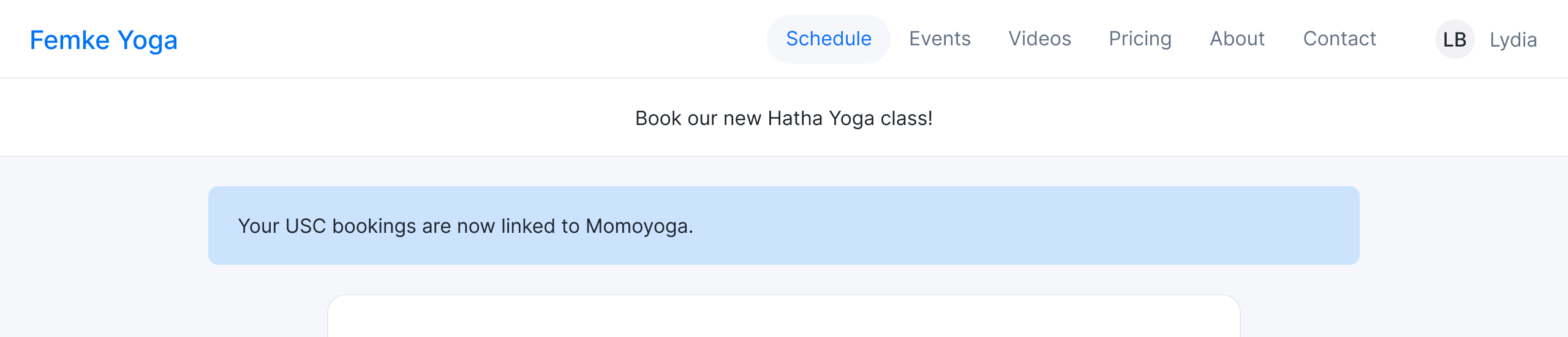
Tip: For yogis who already have a Momoyoga account, simply share the link as shown above and they'll be able to log in to their account directly, without creating a new one.
Need help?
If you have questions about connecting USC to Momoyoga, syncing classes, or managing USC bookings, please reach out to us at info@momoyoga.com.
We’re here to support your studio and make your USC integration experience smooth and straight-forward.
Was this article helpful?
That’s Great!
Thank you for your feedback
Sorry! We couldn't be helpful
Thank you for your feedback
Feedback sent
We appreciate your effort and will try to fix the article