Adding my schedule to a website with JavaScript
You can easily integrate your Momoyoga schedule to your website with JavaScript. We also offer other schedule integration options such as Wordpress, Squarespace, Wix.com, and Joomla.
Note: Please note that Momoyoga doesn't support iFrame because of security reasons.
In this article
How to integrate your schedule with JavaScript
Adding your Momoyoga schedule to your website with JavaScript is quick and requires no technical expertise - it takes about 60 seconds!
To integrate your Momoyoga schedule on your website, simply follow these steps:
- Log in to Momoyoga
- Go to Settings in the left menu
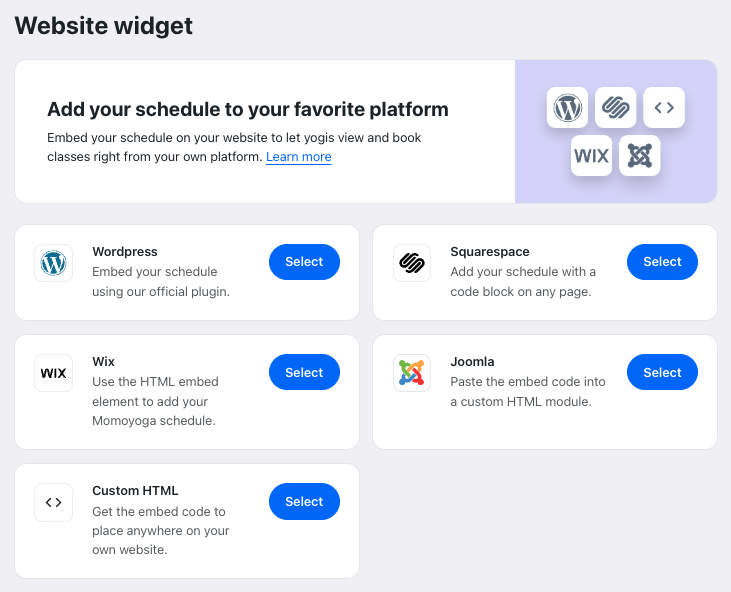
- Click on the Website Widget tab
- Select Custom HTML among the website providers in the overview
- You can then customise the appearance to match your studio’s branding and preferences, including:
Schedule display format: weekly view or list view
What your yogis see: teachers, class end times, class or event images
Option to allow yogis to filter by teacher
Custom colours if using Momoyoga’s custom branding feature - Check the preview to ensure it looks as desired
- Click on View Setup Instructions
- Go to your website admin panel and follow the instructions provided by Momoyoga
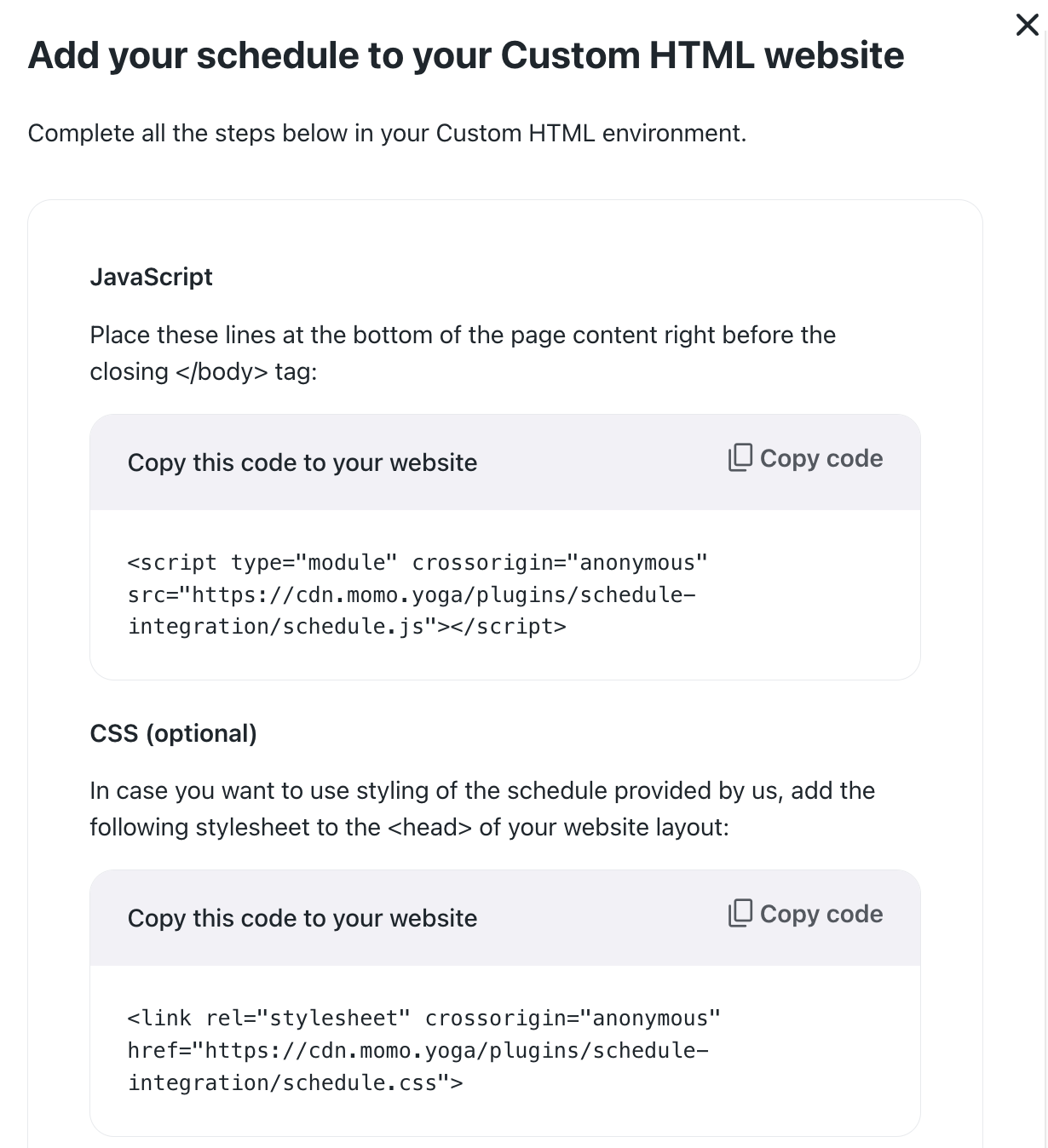
You’re done! After following these steps, the schedule should be visible on your website.
Tip: When selecting the List View, you'll be invited to input how many days from now you wish for your yogis to see, for up to a maximum of 60 days.
Note: Please note that while Momoyoga’s support team can guide you through general setup, they do not provide in-depth technical troubleshooting for website integrations. If you encounter issues, it’s best to reach out to your website developer.
Was this article helpful?
That’s Great!
Thank you for your feedback
Sorry! We couldn't be helpful
Thank you for your feedback
Feedback sent
We appreciate your effort and will try to fix the article