Editing a class pass after purchase
Sometimes situations in which it is necessary to adjust a class pass after it was bought by one of your yogis can arise. For example, you may want to extend the validity period or add extra credits. Such changes can easily be made by a studio by following these steps:
- Go to Yogis in your left-hand menu bar
- Select the yogi whose class pass you wish to edit
- Select the Class pass in question under Active memberships and class passes
- Click Edit order
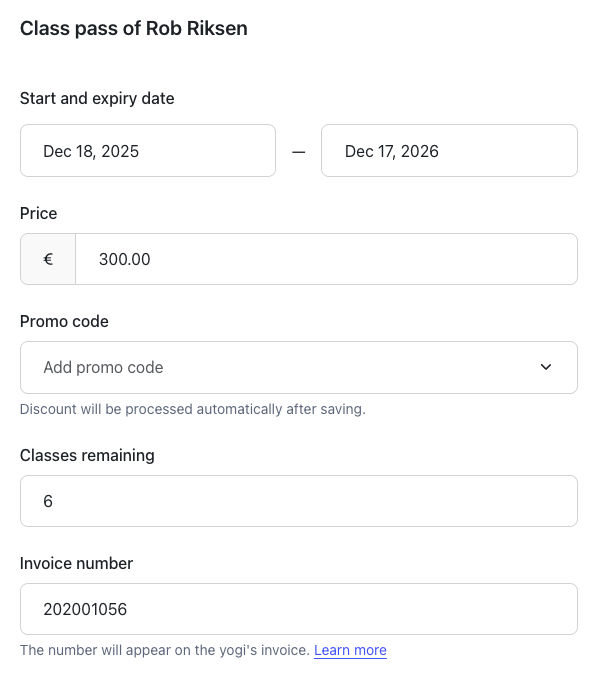
- Make adjustments as needed
- Click Save
Note: It is not possible to adjust the price of the class pass after it was purchased by the yogi.
The changes of the class pass are now effective immediately for that yogi!
Tip: When yogis buy a new class pass, the default settings will apply. If you wish to edit the class pass for all future purchases, you can do so in the class pass settings. See here how to edit directly the settings of a class pass.
Was this article helpful?
That’s Great!
Thank you for your feedback
Sorry! We couldn't be helpful
Thank you for your feedback
Feedback sent
We appreciate your effort and will try to fix the article